• Case Study

Card control features for credit and debit card users in Internet Banking

Role

UX Designer – Digital Banking

Timeline

Eight weeks

Methods
  • User Research
  • Personas & Problem Definition
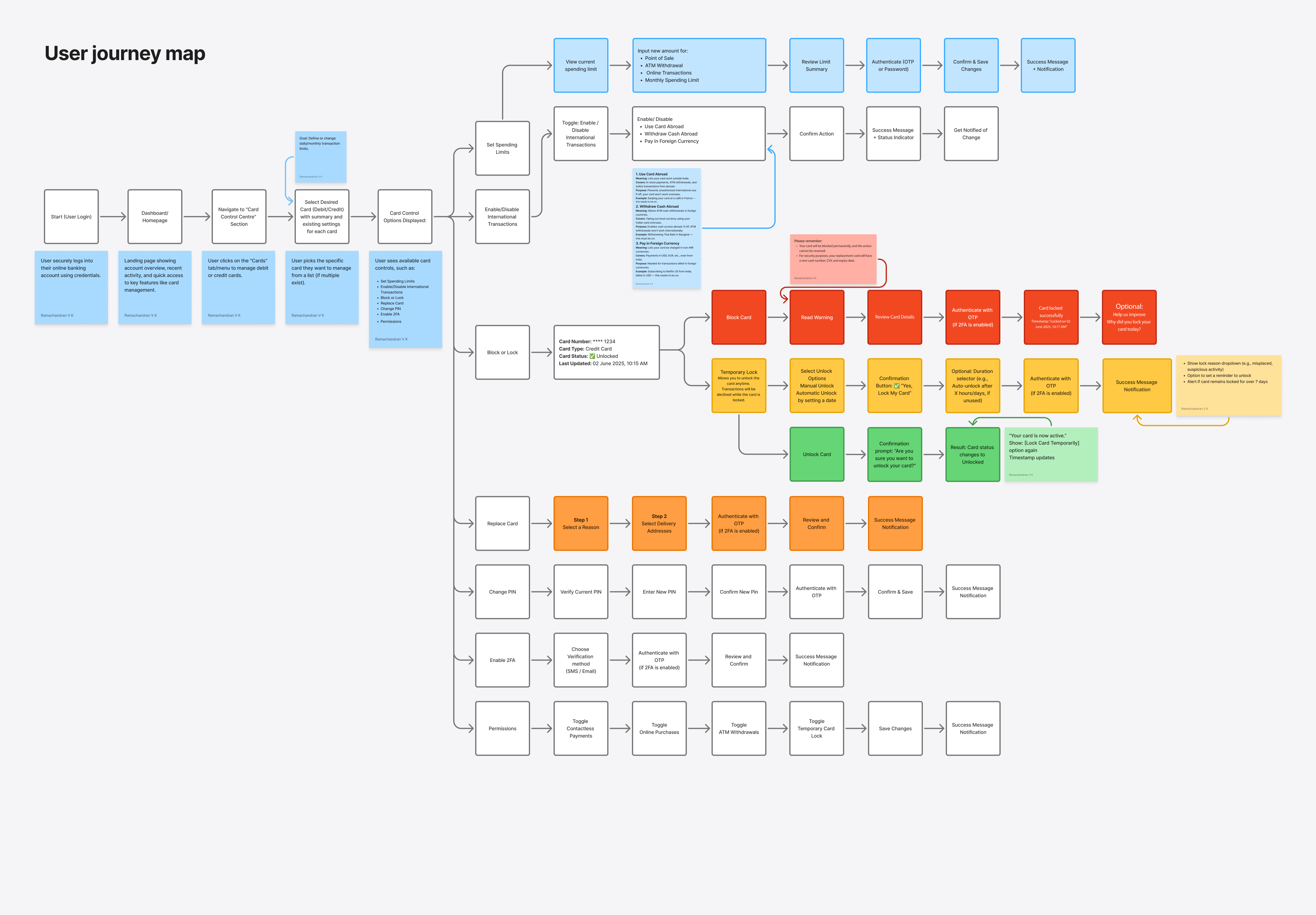
  • User Journey Mapping
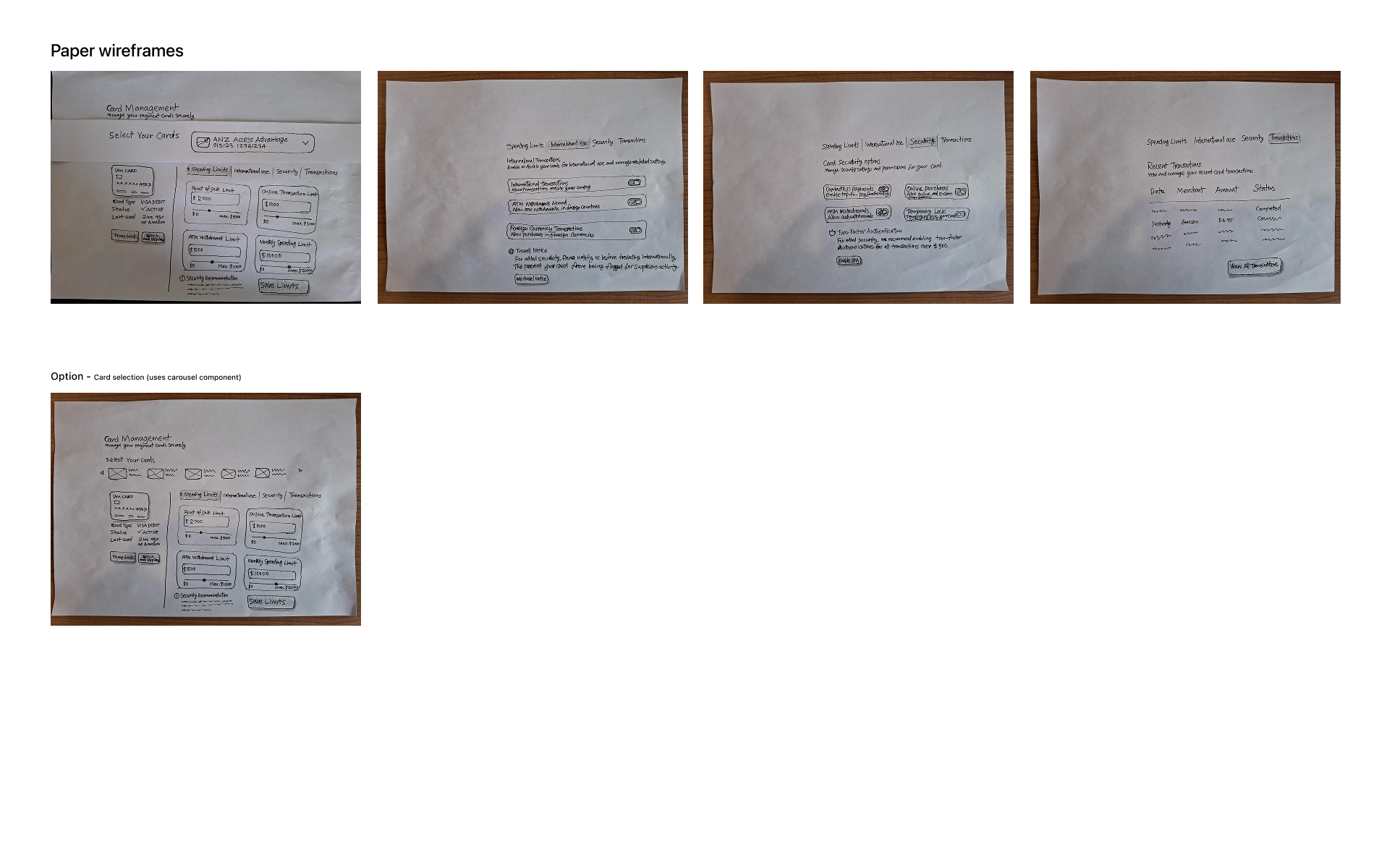
  • Paper Wireframes
  • Digital Wireframes
  • AI-Assisted High-Fidelity Prototyping
  • Usability Testing
  • Iteration & Refinement
Outcome

The ANZ app provides robust card control features, allowing users to temporarily lock lost cards, activate new cards, and set PINs instantly.

Following the UX improvements, these features are now faster and more intuitive to use, leading to a 25% reduction in support calls related to card issues, a 35% increase in feature adoption, and a noticeable improvement in customer satisfaction.

By giving users greater control and immediacy, the experience not only reduces friction during critical moments but also builds trust and confidence in managing their cards.

The Goal

Empower users to manage card security and preferences efficiently.

  • Transparency: Clearly displaying current settings upfront.
  • Response: Improve response time to suspicious transactions.
  • Trust: Enhance overall trust and satisfaction.
01 — Project Overview

The Product

Design card control features for credit and debit card users in Internet Banking, allowing them to easily manage security, spending limits, and transaction preferences in real time.

Feature Summary

The goal was to enhance the Internet Banking experience by designing a comprehensive, user-centric card control feature. This enables users to:

  • Instantly lock or unlock their cards (temporary or permanent)
  • Set or adjust domestic and international usage preferences
  • Define and modify spending limits
  • Control transaction types (online, ATM, in-store)
  • View all current card settings at a glance
02 — Understanding the User

User Research

Activities
  • User interviews
  • Task-based observation
  • Usability testing (post-prototyping)
Objectives
  • Understand how users currently manage card controls
  • Identify pain points and mental models
  • Observe real behaviour during key tasks
  • Evaluate clarity of proposed interfaces
03 — Pain Points

Key Insights

From User Interviews
  • Users are unaware of the full range of card control features available
  • Difficulty identifying whether a card is currently locked or unlocked
  • Uncertainty around international usage settings
  • Users want reassurance when performing critical actions
From Task Observation
  • Users struggle to locate card control settings quickly
  • Many attempt to find card status information on the dashboard but fail
  • Misconceptions about what “locking a card” means
04 — Personas

Target Audience

Neelima Anna Roy (34)

Software Engineer • High Digital Proficiency

Goals: Keep card secure, instantly lock/unlock, set spending limits.

Pain Points: Needs to click through multiple menus, unsure about international usage, wants notifications.

Retired Govt. Employee (60)

Retired • Low/Moderate Digital Proficiency

Goals: Use card safely, understand features without help, avoid accidental overspending.

Pain Points: Interface feels overwhelming, unclear terminology, fear of mistakes.